
BRRRR investors move faster and hold more properties than almost any other strategy — which is exactly why the paperwork behind it gets out of hand first. Every property in the cycle is at a different stage, carries a different loan, and needs a different set of numbers watched closely. This guide walks through the method itself, what the Akweno app does at each step that a spreadsheet struggles with, and the recordkeeping mistakes that tend to surface only when it's time to refinance, sell, or explain a return to your accountant.
One distinction worth making up front: Akweno's free calculators are genuinely useful, but they're built to be a quick acid-test — a two-minute gut-check on whether a single deal is even worth pursuing further. They aren't where you run a BRRRR portfolio. Running the strategy properly means comparing several purchase and funding scenarios against each other, then tracking each property you actually buy through renovation, tenancy changes, refinance and eventual sale — a job the Akweno app is built for and a calculator, by design, is not.
What is the BRRRR method?
BRRRR stands for Buy, Rehab, Rent, Refinance, Repeat. Instead of saving a fresh deposit for every property, an investor buys a property below market value, renovates it to lift both its rentability and its appraised value, places a tenant to stabilise the income, then refinances against the new, higher valuation to pull most or all of their original capital back out. That capital funds the next purchase, and the cycle repeats — in theory, with the same starting deposit doing the work of several.
The strategy trades a simpler buy-and-hold approach for a lot more moving parts: a renovation budget and timeline, a lender who will refinance on an "after-repair value" rather than the purchase price, and a portfolio where every property sits at a different stage of the cycle at once. None of that is a reason to avoid it — it's the reason it needs proper tracking from the day you sign the contract, not from the day you get around to opening a spreadsheet.
The BRRRR cycle
Buy
Find and purchase a below-market property
Rehab
Renovate to add value and rentability
Rent
Place a tenant and stabilise income
Refinance
Refinance against the new, higher value
Repeat
Redeploy the capital into the next deal
Repeat feeds the recycled capital straight back into the next Buy.
Why BRRRR is hard to track
A single buy-and-hold property needs one purchase record and an ongoing income and expense ledger. A BRRRR property needs both of those plus a renovation budget that has to reconcile against receipts, a before-and-after valuation trail to support the refinance, and a loan that changes size and terms partway through the property's life. Multiply that by however many properties you're running through the cycle at once, each a few months offset from the others, and a single tab in a spreadsheet stops being able to answer a simple question: what has this property actually returned me, all in, so far?
Most investors start in Excel or Google Sheets because it's free and flexible. It stays workable for one or two properties. It stops being workable the moment you're running three or four deals through different stages of the cycle at the same time — which, for a strategy built around repeating quickly, tends to happen faster than people expect.
Buy: comparing scenarios before you commit
The buy step lives and dies on one number: does the after-repair value, less the renovation cost, less the purchase price, leave enough margin to make the whole cycle worthwhile? Getting this wrong doesn't show up until the refinance stage, by which point the money is already spent — so the analysis needs to be right before you sign, not adjusted after the fact.
Most BRRRR deals aren't actually a single decision — they're several, layered on top of each other. The same property might work at a 20% deposit but not at 10%. Two competing properties might need to be weighed against each other before either gets an offer. A spreadsheet can model one of these at a time, in one tab, but comparing three or four side-by-side means either juggling several tabs that quietly drift out of sync, or overwriting the numbers you'd want to come back to.
Illustrative — comparing scenario variants for one property
Base case
Aggressive gearing
Extra deposit
Three funding scenarios for the same property, modelled as Scenario Variants under one Investment Case — compared side-by-side rather than reconstructed from separate tabs.
How Akweno helps
- Run a new Investment Case with multiple Scenario Variants. Model a base case, an aggressive-gearing case and an extra-deposit case for the same property side-by-side — or line up two entirely different properties against each other — before a single dollar has actually moved.
- One winning scenario, no re-entering the numbers. Once you decide, converting the scenario into a tracked property carries the purchase price, costs and projections straight across — the deal you analysed becomes the property record itself.
- Purchase costs captured properly from day one. Stamp duty, legal fees and other acquisition costs sit against the property's cost base from the start, rather than being reconstructed later from old bank statements.
- Use the free cash flow calculator or rental yield calculator as a two-minute acid-test on a single deal — then build the real, comparable scenarios in Akweno once it clears that first bar.
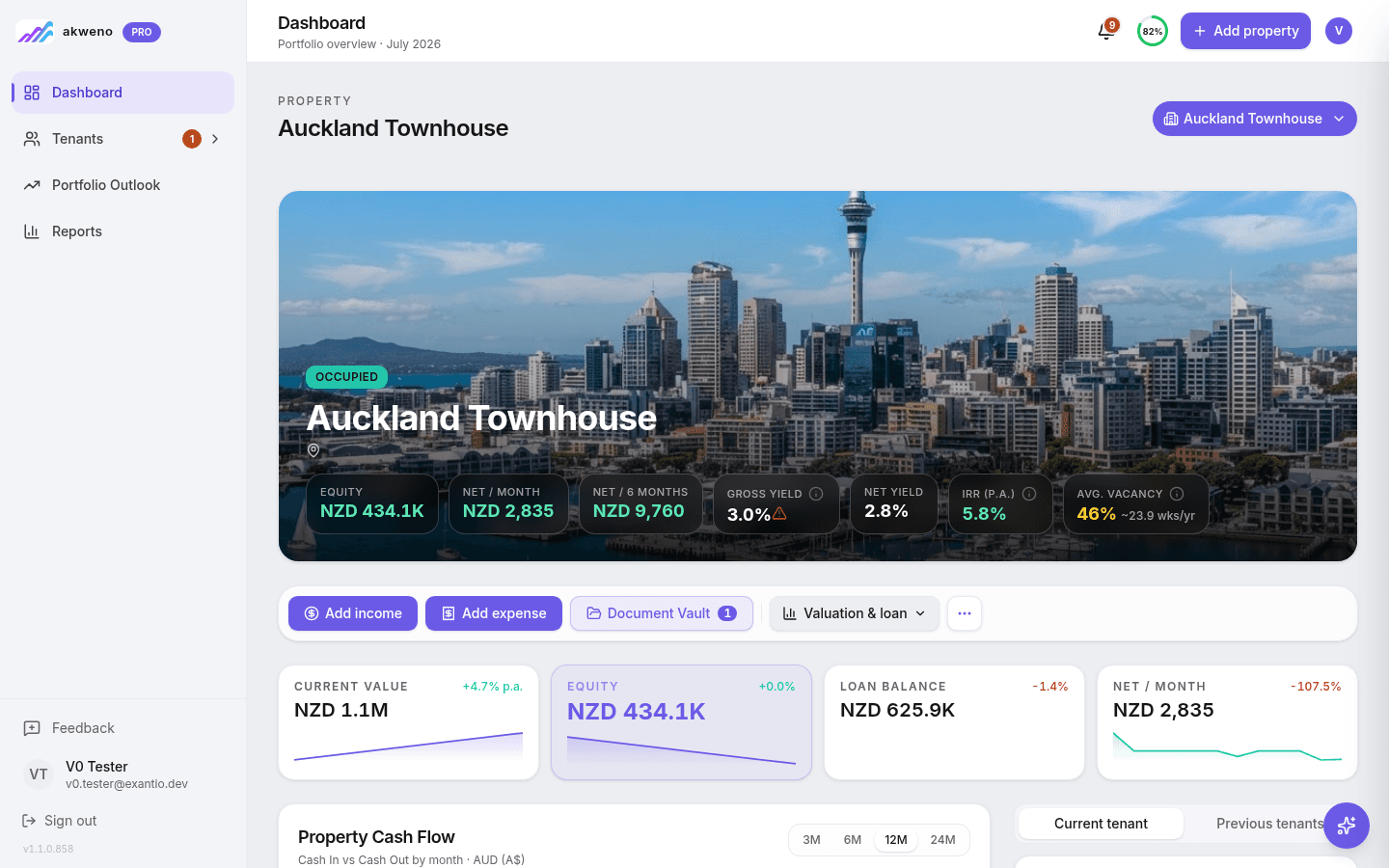
Compare the deal properly, not just once.
Model a few purchase and funding scenarios for the same property side-by-side before you commit to any of them.
Rehab: tracking the renovation
The rehab step is where a BRRRR budget most commonly blows out, and it's also the stage that determines whether the refinance at the end actually works. Every dollar spent needs to be tracked against a budget, categorised for tax purposes, and kept with a receipt — because a lender assessing the after-repair value, and later an accountant assessing what's deductible versus what adds to the cost base, will both want to see it.
In a spreadsheet, this usually means a separate "renovation budget" tab that's manually updated from invoices as they come in, with no link back to the bank account the money actually left from. It's easy for a cost to get entered twice, entered once and forgotten, or categorised inconsistently between one property and the next — all of which understate or overstate the real spend when it matters most.
How Akweno helps
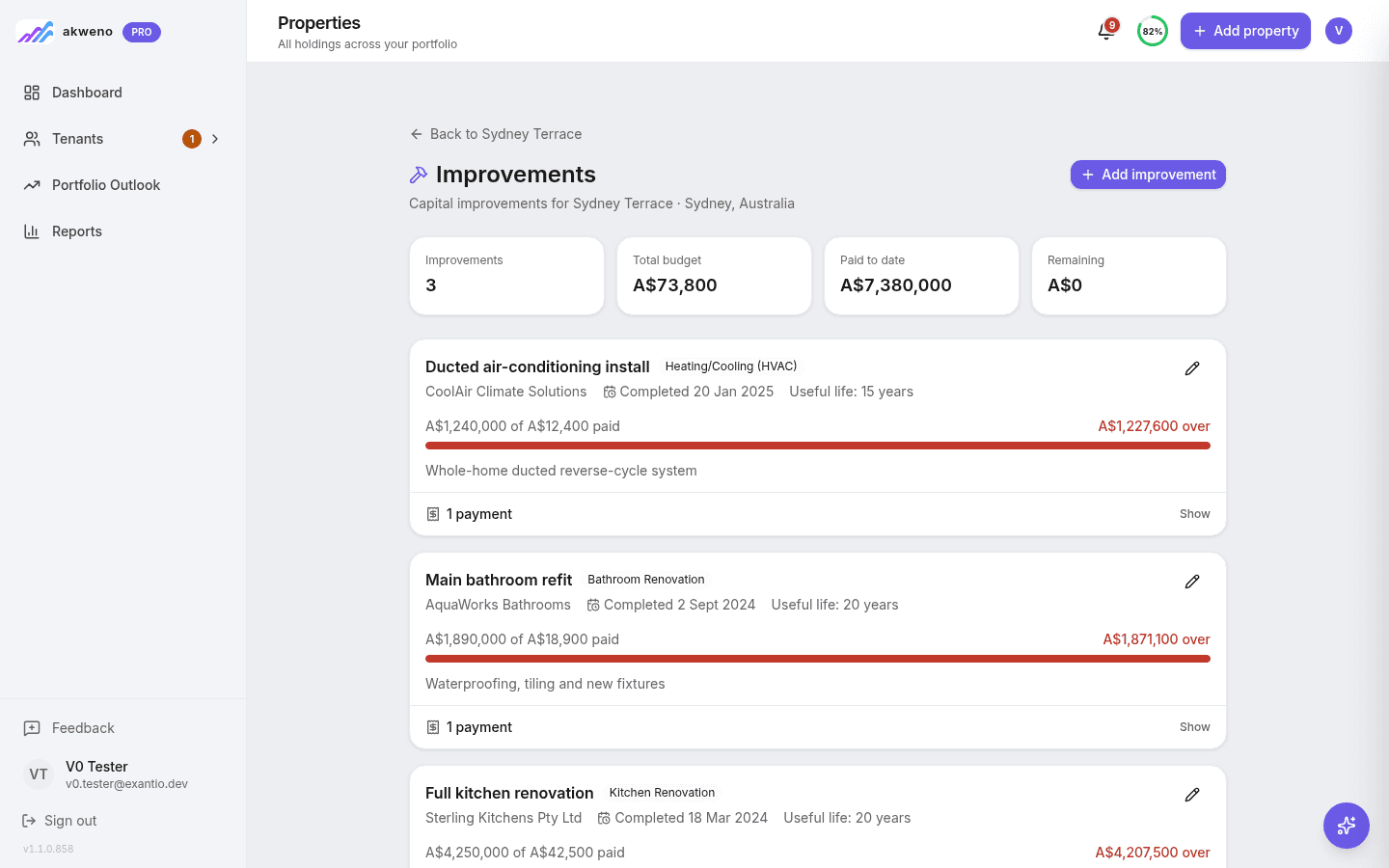
- A dedicated improvements ledger per property. Renovation costs are tracked against a project rather than mixed in with day-to-day running expenses, so the total spend is always one glance away.
- Capital works vs repairs, categorised as you go. Costs are tagged by type rather than sorted retrospectively at tax time, which is when the distinction is hardest to reconstruct accurately.
- Budget vs actual, visible while the work is still happening — not discovered for the first time once the renovation is finished and the appraisal is booked.
Rent: income, tenants and STR/LTR switches
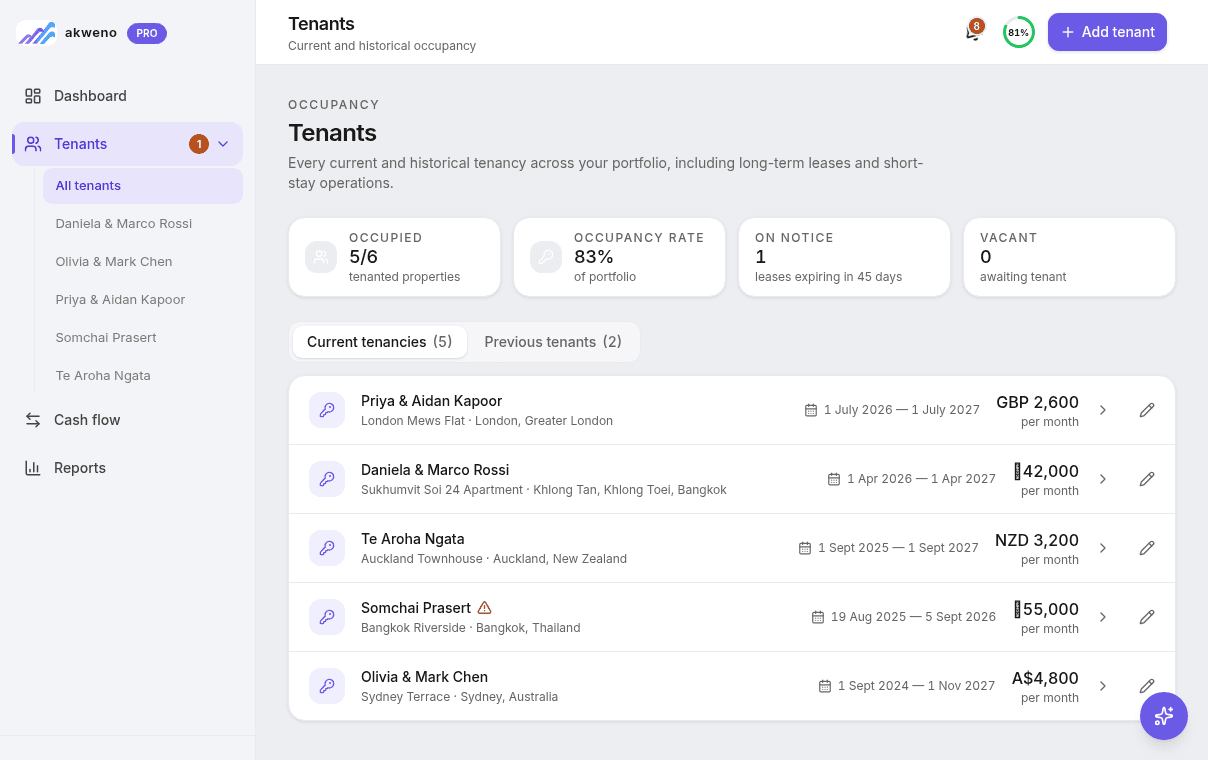
Once a tenant is in place, the property shifts from a project into an income-producing asset — and the refinance lender will want to see a track record of that income before they'll lend against it. A month or two of rent landing in a personal bank account with no ledger behind it doesn't demonstrate anything to a lender or an accountant; it's just a deposit that could be anything.
This is also the stage where the running costs that were rough estimates during the buy analysis become real numbers — management fees, insurance, rates, repairs — and where the gap between the two is easiest to lose track of in a spreadsheet that isn't connected to what's actually being collected and spent.
It's also rarely a single, static arrangement for the life of the property. A BRRRR investor might place a long-term tenant to build the income history a refinance needs, then switch the same property to short-term/holiday letting once that's settled — or the reverse. Each change needs its own tenants, transactions and documents kept distinct from what came before it, not merged into one long, ambiguous history.
How Akweno helps
- Rent, fees and running costs recorded against the property automatically, building the income history a refinance application actually needs.
- Long-term lease or short-term/holiday letting, tracked as a rental arrangement. Switch a property from one to the other whenever it actually happens, and every past arrangement keeps its own tenants, transactions and documents — nothing gets merged or overwritten when the arrangement changes.
- Net cash flow visible at a glance, so a drifting expense doesn't go unnoticed for months.

For the full breakdown of what belongs on each side of this calculation, see Investment Property Cash Flow: The Complete Guide.
Refinance: pulling your capital back out
This is the step the entire strategy is built around — and the one that most needs a clean paper trail rather than a story. A lender assessing a refinance wants to see what was spent on the renovation, what the property is earning now that it's tenanted, and a supportable valuation. If any of those three come from a spreadsheet that's been patched together after the fact, the refinance takes longer, and sometimes comes back smaller than it should.
Equally important: once the refinance happens, the loan balance and the equity position both reset. If your records don't update to reflect that clearly, every calculation downstream — LVR, ongoing cash flow, and the return on your original capital — is quietly working off stale numbers.
How Akweno helps
- AI-assisted value estimates backed by comparable sales, alongside a full valuation history — useful evidence to bring into a refinance conversation.
- Loan balance and equity update the moment the refinance settles, so LVR and net worth reflect the new position immediately rather than a stale one.
- Run a quick acid-test on the new loan against the property's income with the LVR calculator — then let the full refinance numbers update automatically in the property record once it settles.
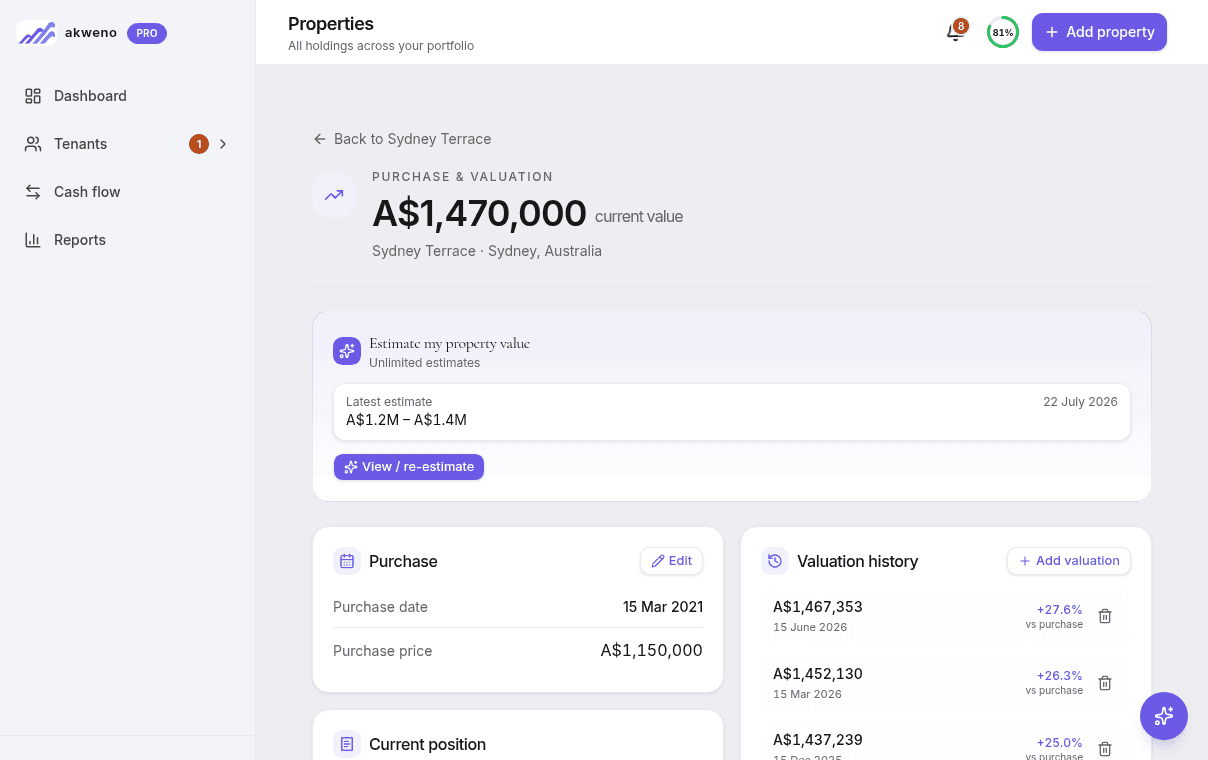
Stop reconstructing your equity position from memory.
See current value, loan balance and equity update automatically the moment a refinance settles.
Repeat: scaling without losing control
The whole point of BRRRR is that the same capital funds deal after deal. That's a strength for your net worth and a genuine risk for your recordkeeping — because by the time you're on your third or fourth property, you're not managing one deal through five stages, you're managing several properties that are each at a different stage simultaneously. One might be mid-renovation, one freshly tenanted, one waiting on a refinance appraisal.
A separate spreadsheet per property (or per stage) makes this close to impossible to see clearly. There's no single view of total capital deployed, total capital recycled, or how much of your original starting deposit is actually still tied up versus already pulled back out and reused.
How Akweno helps
- One portfolio view across every property, no matter which stage of the cycle each one is in — buy, rehab, rent, refinanced, or repeated.
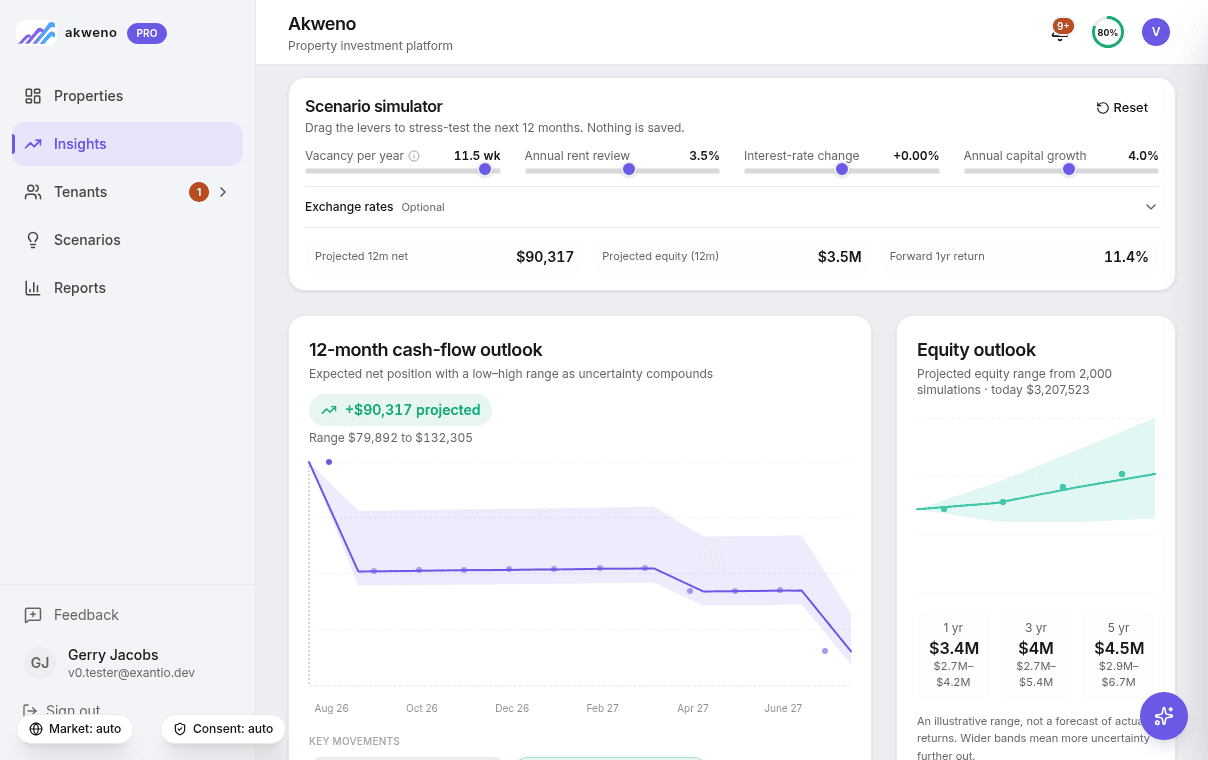
- A 12-month outlook across the whole portfolio, so you can see the combined effect of one property's renovation spend against another's freshly refinanced cash flow.
- Consolidated equity and LVR, so you always know how much capital is actually deployed versus how much has been recycled back into new deals.
Eventually, selling: closing the loop
Not every BRRRR property gets repeated forever. At some point — to fund a bigger deal, simplify a portfolio, or just take the win — a property gets sold. This is the moment every earlier record gets checked at once: the purchase price and acquisition costs from the buy step, every dollar of capital improvement from the rehab step, and the full income history in between. A capital gain is calculated against all of it together, not just the sale price against the purchase price.
In a spreadsheet, this usually means reopening a tab that hasn't been touched since the refinance — or, for an older property, since the purchase — and trying to reconstruct a cost base from whatever receipts survived. It's exactly the wrong moment to be doing archaeology on your own records.
Illustrative — sale summary
Cost base
Purchase price + acquisition costs + capital improvements
A$612,400
Sale price
Agreed sale price at settlement
A$780,000
Selling costs
Agent fees, legal, marketing
-A$21,600
Net proceeds
Sale price less selling costs
A$758,400
Capital gain
Net proceeds less cost base
How Akweno helps
- The cost base is already there. Purchase price, acquisition costs and every dollar tracked in the improvements ledger are already sitting against the property — nothing to reconstruct when it's time to sell.
- Sale price and selling costs recorded against the property, with a live net-proceeds and capital-gain preview as you fill them in — not a surprise calculated after the fact.
- A sold property stays in your history, not deleted. It drops out of your active portfolio totals but keeps its full record — and the sale is reversible if it falls through, without losing anything that was tracked before it.
The pitfalls of getting recordkeeping wrong
Most of the damage from poor BRRRR recordkeeping doesn't show up while you're doing the work — it shows up later, at the exact moments you can least afford a gap in the numbers.
Cost base gaps at sale time
When you eventually sell a BRRRR property, capital gains is calculated against the full cost base — purchase price, acquisition costs, and every dollar of capital improvement along the way. If the renovation spend was tracked in a spreadsheet that got lost, replaced, or simply stopped being updated two properties ago, that spend is at real risk of being missed entirely — meaning you overstate your gain and pay more tax than you should, or scramble to reconstruct years-old receipts under time pressure.
Losing the true return across the whole lifetime of the investment
A BRRRR property's real return isn't just today's rent against today's value — it's the rental income earned before and after the refinance, the equity pulled out and redeployed, and the capital growth on top, all measured against how much of your own money is actually still tied up. Once a property has been through a renovation and a refinance, a spreadsheet built for a simple buy-and-hold property usually can't answer that question anymore without being rebuilt from scratch.
No single source of truth once the portfolio grows
Every additional BRRRR property is another tab, another loan, another renovation budget. Without a system that consolidates all of them, portfolio-level questions — total equity, blended LVR, whether the next deal is actually affordable — get answered with a guess instead of a number.
A weaker case when it's time to borrow again
Lenders and accountants both respond better to consistent, exportable records than to a personally-formatted spreadsheet they've never seen before. Clean, portfolio-wide records make the next refinance application, and the next EOFY, faster and less likely to raise questions.
Bringing it all together
BRRRR rewards investors who move quickly and repeat the cycle often — which is exactly why it punishes loose recordkeeping harder than a simple buy-and-hold strategy does. Each property carries its own purchase record, renovation budget, income history and loan, and at any given time your portfolio likely has several properties sitting at different stages at once. The investors who scale a BRRRR portfolio comfortably are usually the ones who set up a system to track it properly from the first scenario they compare, through every renovation and tenancy change, to the day they eventually sell — not the fourth property in.
The calculators below are a good next step if you want a quick, no-signup gut-check on a single number — they're the acid-test, not the portfolio. For the full picture across every scenario and every property, that's what the Akweno app is built for.
See it in Akweno
Property Analysis
Model a deal's numbers before you commit to the purchase price.
Explore featureImprovements & CapEx Tracking
Track renovation spend against budget, categorised for tax as you go.
Explore featureAI Valuation
Comparable-sales-backed estimates and a full valuation history per property.
Explore featurePortfolio Outlook
A 12-month forward view across every property, at every stage of the cycle.
Explore featureTry the calculators
Related guides
Investment Property Cash Flow: The Complete Guide
The formula, every cost that belongs in it, and how to read the number.
Read the guideTracking Cash Flow Across a Property Portfolio
How to see combined performance once you're managing more than one property.
Read the guideForecasting CapEx & Refurbishments
Budgeting for renovation spend before it happens, not after.
Read the guide